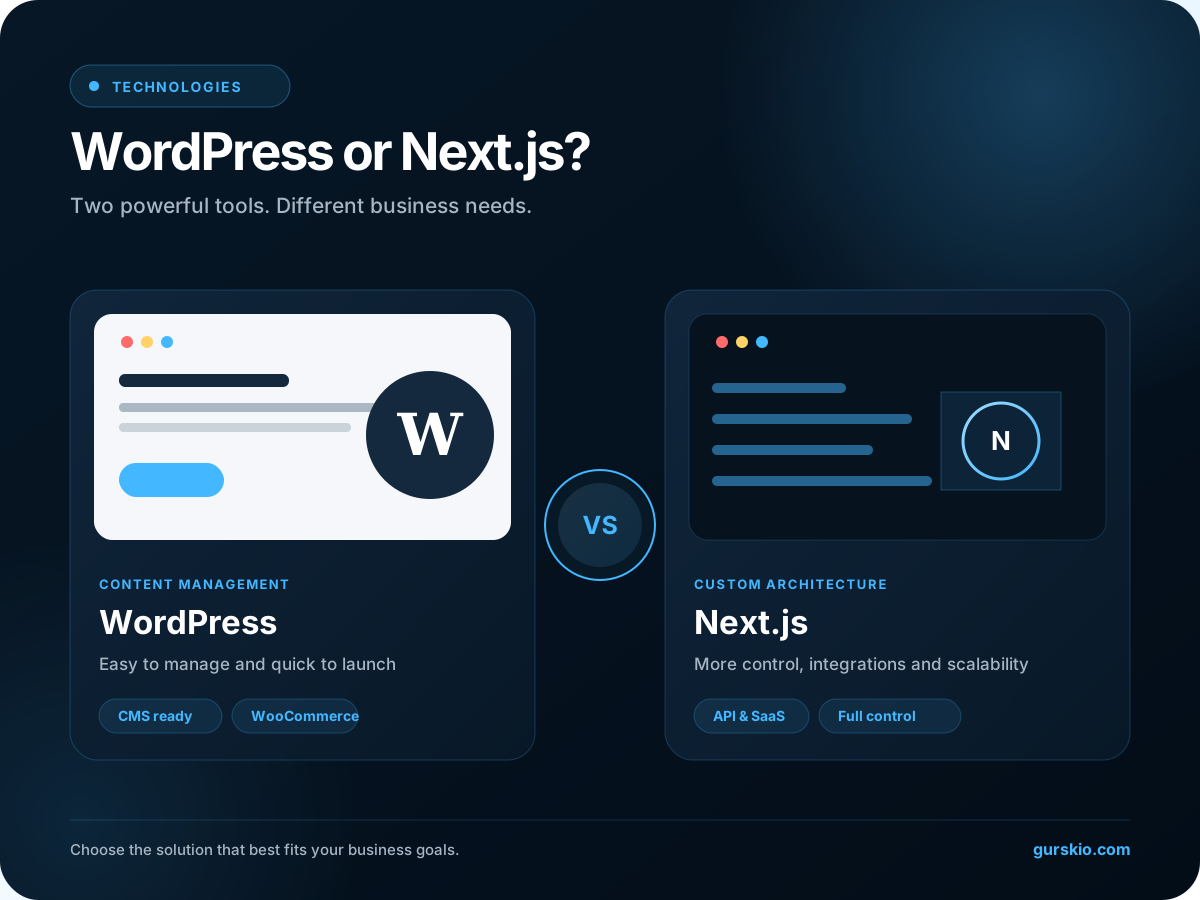
If you are planning a new website, sooner or later you may face the question – WordPress or Next.js?
I work with both technologies in practice, so I don't see this as a battle where one platform necessarily has to be better than the other.
WordPress can be a very fast, convenient and rational choice for a business website. Next.js can provide much more technical freedom, control, and options for custom projects.
The problem begins when a technology is chosen simply because it is popular or currently considered more modern.
Is it fast? Is it easy to manage? Can customers find it on Google? Does it generate enquiries? Can it be expanded in two years? These are the questions that should guide the decision.
In short: When would I choose WordPress and when would I choose Next.js?
If I had to answer very briefly:
Suitability of WordPress and Next.js for different business needs
| Requirement | WordPress | Next.js |
|---|---|---|
| A simple business website | Excellent fit | Suitable |
| Company website | Excellent fit | Excellent fit |
| Frequent content editing | Very convenient | A CMS must be planned |
| SEO site with many articles | Very convenient | Perfect with the right architecture |
| Small or medium online store | Often more practical | Possible, but more complex |
| Custom API integrations | Possible | Very suitable |
| Custom functionality | It is possible, but there may be more plugins | Very suitable |
| SaaS / web application | Usually not the first choice | Mostly more appropriate |
| Maximum developer control | Good | Very high |
| The client manages the content | Very convenient | Requires a CMS or admin system |
| Lower initial budget | Mostly more rational | Usually more expensive |
| Highly customized project | Possible | Often more rational |
But a table alone is not enough. There are a number of situations where the choice is not so obvious.
What is WordPress anyway?
WordPress is a content management system — a CMS.
Its biggest advantage is that it gives the website owner an administration environment where they can create and edit pages, articles, photos, categories and other content without programming.
The current WordPress Block Editor allows you to create content from individual blocks—headers, text, photos, galleries, lists, and more. WordPress also has user roles and rights, so administrators, editors, or authors can work on a site with different permissions.
Functionality can be extended with themes and plugins.
- Contact forms
- SEO management
- online stores
- Reservations and payments
- Multilingualism
Proven solutions already exist for many standard business needs. And this is one of the main strengths of WordPress.
And what is Next.js?
Next.js is not a WordPress alternative in the literal sense. This a React-based framework for building websites and web applications. Next.js provides routing, server-side and static rendering, data fetching, optimizations, and the ability to create both the user interface and server-side functionality.
There is no standard admin panel like WordPress.
The developer himself decides:
- how the content is stored and where the data comes from;
- how the contact form and authentication work;
- how pages are generated and SEO is implemented;
- how payments and APIs are integrated;
- how practically the rest of the project architecture works.
It gives a lot of freedom. But it also means that more things need to be designed and programmed.
WordPress or Next.js - which is faster?
This is where various myths usually begin.
Neither statement is entirely correct. I have seen very fast WordPress sites and poorly optimized modern JavaScript projects.
WordPress speed is greatly influenced by:
- hosting and server configuration;
- theme and page building system;
- quantity and quality of plugins used;
- database and caching;
- photos and external scripts;
- advertising and analytics code.
Even the official WordPress documentation recommends checking unnecessary plugins first, and caching is cited as one of the most effective ways to improve WordPress performance.
Next.js provides a very good foundation in this respect. It is possible to pre-generate static pages, render content on the server, use Server Components, caching and other strategies. next/image can automatically render images of a more suitable size, use modern formats and lazy loading.
However, Next.js can also be broken. If we load a lot of JavaScript, heavy animations, third-party scripts and poorly optimized components to the page, just the inscription "Next.js" will not guarantee a good PageSpeed result.
What about Google PageSpeed and Core Web Vitals?
For me, website speed isn't just a score in PageSpeed Insights. What matters most is the experience of an actual visitor.
Google's Core Web Vitals evaluate things like load time for core content, responsiveness to user actions, and visual stability of the page. Google recommends aiming for good results, but good technical indicators alone do not guarantee high search positions.
Therefore, I would not choose the website technology based on the promise of getting "100/100", but based on the whole project.
WordPress or Next.js - which is better for SEO?
Another common myth: Next.js is better for SEO. Not exactly.
Both WordPress and Next.js can be built technically very well optimized for search. WordPress has a big advantage - many SEO aspects can be controlled by the site administrator through the admin environment and SEO plugins.
- SEO title and meta description;
- canonical and robots;
- XML sitemap;
- Open Graph;
- Schema markup;
- redirects.
In the case of Next.js, this is mostly implemented programmatically. The Metadata API allows you to generate both static and dynamic metadata, Open Graph information and other SEO elements. Next.js also has standard sitemap and robots implementation capabilities.
This allows for a very neat and controlled technical SEO architecture.
Google can also index JavaScript-based websites, and its documentation focuses much more on content accessibility, crawling, rendering, indexing, user experience, and content quality than on a specific framework.
From an SEO perspective, I would choose the technology that best supports the structure and requirements of the project.
Where does WordPress have a very clear advantage?
Let's imagine a company whose marketing specialist every week:
- publishes articles;
- changes service descriptions;
- uploads new photos;
- creates landing pages;
- edits employee information.
WordPress is very convenient in this scenario. There is no need to open VS Code, create a Git commit, or run a new build: sign in to the dashboard, make the change, and publish it.
In the case of Next.js, you can have the same convenience, but you need to connect a CMS or create an administration system. Next.js has mechanisms for working with headless CMS, including Draft Mode, which allows editors to preview content that has not yet been published.
This is a very powerful architecture. But it is more complicated. If a typical five-page company website doesn't need that level of complexity, sometimes it doesn't make sense to create one.
When do I prefer Next.js?
When a website becomes more than just a content page. For example, when you need:
- individual user systems and logins;
- dashboard;
- Stripe payments;
- API integrations and databases;
- automation and individual calculators;
- interactive user tools;
- complex business logic;
- SaaS functionality.
In that case, the Next.js architecture becomes a much more natural choice for me. Server Components can work directly with server resources, database and other systems without transferring all the logic to the user's browser. Route Handlers allow you to create API endpoints in the same project.
And if you need online stores?
For a standard online store I would often still choose WordPress + WooCommerce. The reason is simple - the ecosystem has already solved a lot of typical e-commerce problems:
- products and their variants;
- cart and orders;
- fees and payment methods;
- delivery;
- discounts;
- administration.
WooCommerce also has a large ecosystem of shipping, payment and other extensions. If we're building a standard 50 or 500 product store, it doesn't make sense to program our ordering system from scratch just to be able to say that the store is built with Next.js.
However, the situation changes when e-commerce model is non-standard:
- custom checkout;
- custom Stripe billing;
- subscriptions;
- unique product configurator;
- B2B system;
- data from multiple APIs;
- non-standard user account.
In that case, Next.js can become much more attractive.
Design options
Sometimes I hear that WordPress limits design. Technically, this is not true. Virtually any design can be created with a custom WordPress theme.
The problem is usually not caused by WordPress, but by the limitations of the chosen page builder, theme or plugins.
In the case of Next.js, it starts from the other side. There is no set design pattern for the site. Component structure, animations, breakpoints, CSS, user interface and behavior can be designed practically from scratch.
I like it in projects where it's important to:
- custom visual design;
- more complex animations;
- custom components;
- precise responsive behaviour;
- highly controlled frontend code.
That freedom comes at the cost of additional development time.
Which technology is safer?
Here, too, I would avoid the statement: "Next.js is secure, WordPress is insecure."
That is not the case. Both WordPress and Next.js require regular security updates and responsible maintenance.
WordPress ecosystem
- WordPress Core;
- theme;
- plugins;
- PHP;
- server.
All these components must be updated. WordPress has both Core and themes and plugins update mechanisms.
Next.js ecosystem
- Next.js and React;
- Node.js;
- npm dependencies;
- server or cloud infrastructure;
- APIs and other packages are used.
They also need to be looked after. What I like about Next.js is that I have a lot of control over what goes into the project in general.
Over time, a WordPress site sometimes ends up with 20 or 30 plugins, some of which you don't even need anymore. In the Next.js project, I try to keep the functionality as much as possible in the code. However, changing the technology alone does not solve security problems.
What about site maintenance?
WordPress and Next.js simply require different maintenance.
WordPress maintenance
- updated Core, plugins and theme;
- backups are made;
- hosting checks;
- the database is being cleaned.
Maintenance of Next.js
- Git and dependency updates;
- tests and builds;
- CI/CD and deploy;
- server environment variables;
- Node.js versions and logs.
This is not necessarily a problem for the business owner. If the website is maintained by the developer, the client usually doesn't even care how the deployment happens technologically. But if a person wants to manage practically his entire website himself, WordPress has a very big advantage.
And which site will cost less?
For a standard business website, WordPress usually makes the project cheaper. There is a simple reason for this - many common features already exist.
In the Next.js project, more functionality has to be programmed or connected individually. For example, a contact form on a WordPress site can be implemented with an existing solution. A Next.js project may require:
- a form component;
- a server endpoint;
- data validations;
- an SMTP service or email API;
- rate limiting and anti-spam protection;
- error management.
The result can be excellent, but it requires more work.
Therefore, I would not normally tell a client: "Let's take Next.js because it's a more modern technology." First, there must be a reason to pay for that extra work.
Why did I move my gurskio.lt website from WordPress to Next.js?
I can no longer speak theoretically here. My own gurskio.lt used to work with WordPress, but in 2026 I moved the site to Next.js.
Not that WordPress is bad. I continue to work with WordPress and it remains a great choice for client projects in most cases. I just wanted more technical control on my website.
It was important for me to manage myself:
- page components and animations;
- SEO metadata and Schema.org data;
- contact form security;
- API integrations and analytics;
- Core Web Vitals and responsive behavior;
- deploy process and the entire project architecture.
For me, gurskio.lt is more than a business website. It also showcases my work and technical capabilities, so choosing Next.js carries additional value in this particular case.
If I were to offer the same solution to a local construction company, dental clinic, or small service business, I would first assess whether the customer really needs it.
There is also a third option - WordPress + Next.js
You don't always have to choose just one. It is possible to use WordPress as headless CMS, and the website's frontend is built with Next.js.
In this case, the client gets a familiar WordPress administration environment, and the user is presented with a custom Next.js website. WordPress has a REST API, and Next.js has mechanisms for working with headless CMS and content review.
This can be a very strong option for large content projects. However, for a typical five-page corporate website, such an architecture would be redundant.
When would I recommend WordPress?
A classic company website
Home, services, about us, jobs, news and contact.
The client will often edit the content themselves
The WordPress administration environment is very convenient here.
Standard online store
WooCommerce will often be more cost-effective than programming a custom commerce system.
Limited budget or quick launch
The WordPress ecosystem can meet many standard business needs efficiently without extensive custom development.
When would I recommend Next.js?
I would seriously consider Next.js if:
- the project requires extensive custom functionality;
- complex API integrations are required;
- a SaaS product or web application is being built;
- a tightly controlled frontend architecture is important;
- a large expansion of the project is expected in the future;
- an individual user dashboard is created;
- specific authentication, payment, or database logic is required;
- the website will be constantly maintained by a programmer and the client does not need WordPress-type administration.
In such projects, the advantages of Next.js begin to reveal themselves much more clearly.
So what should you choose for a business website?
It is not outdated. It is not inherently slow. And it is not inherently unsafe. A properly designed WordPress project can be fast, secure, well optimized for SEO and easy to administer.
I would choose it when greater technical control, custom functionality, or API integrations are required; when a website begins to behave like a web application; or when the project needs a bespoke architecture and has the budget to support it.
The worst option would be to choose a technology based on its name alone.
My approach is simple
I do not sell WordPress or Next.js to a customer. First I try to understand what their business needs.
Sometimes WordPress will be the best solution. Sometimes Next.js. Sometimes WooCommerce. Sometimes a custom solution with Stripe or other APIs. Technology is just a tool.
A good developer should not try to adapt each customer to their favorite tool, but choose a tool based on the customer's project.
If you are planning a new business website and don't know whether WordPress or Next.js is the more practical choice, you can contact me. I will assess the project scope, required features, content-management needs, and future development plans, then recommend the option that makes the most sense for your business.
Frequently asked questions
Is Next.js better than WordPress?
Not in all cases. Next.js offers more programming and architectural freedom, but WordPress has a very user-friendly content management system and a large ecosystem of pre-built solutions. The choice depends on the project.
Are WordPress sites slow?
Not necessarily. WordPress speed depends on hosting, theme, plugins, caching, photos, database and overall implementation. WordPress has a separate Core Performance team that actively works on platform performance.
Is Next.js better for SEO?
Next.js has very good technical capabilities for SEO implementation, including server-side and static rendering, Metadata API, sitemap and robots management. However, using Next.js alone does not give you higher Google rankings. Google evaluates many different technical and content signals.
Which is better for an online store: WordPress or Next.js?
For a standard online store, WordPress with WooCommerce is often a more practical and cost-effective choice. Next.js may be more suitable for a highly customized shopping system, a non-standard checkout, or a project with complex integrations.
Can WordPress and Next.js be used together?
Yes. WordPress can be used as a headless CMS for content administration, and Next.js as a website frontend. Such a solution provides the convenience of WordPress administration and the flexibility of the Next.js frontend architecture.
What to choose for a small business website?
If you need a standard business website and straightforward content management, I would usually consider WordPress first. If the project requires custom functionality, APIs, user accounts, or significant future development, Next.js is worth considering.