Website complete, domain connected, and pages live—but your business is nowhere to be found when you search for its services on Google. Worse still, you may search for the company name and still not see the website.
The question naturally arises: why is my website not showing up in Google Search?
The reasons vary. Sometimes it is a single forgotten noindex setting. Sometimes Google has not discovered the new website yet. In other cases, the website is already indexed but ranks so low that it appears to be missing entirely.
These are two completely different things.
First, what does "site not showing up on Google" mean?
In simplified terms, Google Search works in several stages. First, Google must discover the website URL. Googlebot can then visit and crawl the page. Google later analyzes the content and may add the page to its index.
Only then can the indexed page be selected and displayed to the user based on a specific search query.
1. The site is not indexed at all
Google either doesn't know about the page or has chosen not to index it.
2. The site is indexed but not showing for the keywords you want
Google knows the page, but for a query like "website development" your page might rank 50, 80 or even lower.
To the user, both scenarios look similar: "I can't find my website on Google." From an SEO perspective, however, they are different problems and require different solutions.
How to check if a website is indexed by Google?
A simple way to get started is to type in Google Search:
site:your-domain.com
For example: site:gurskio.com
If Google returns pages from your domain, at least part of the website is indexed. For a more reliable diagnosis, however, I recommend using Google Search Console.
There you can check a specific URL and see:
- whether the page is indexed and can be crawled by Google;
- when Googlebot last visited;
- which canonical version Google selected;
- whether there are indexing issues;
- what search queries generate impressions;
- how many clicks the site gets.
The URL Inspection tool is particularly useful for this. If your business website is not yet connected to Google Search Console, this would be one of the first things I would recommend you do.
1. The site is brand new
If you launched your website yesterday, you shouldn't expect all its pages to be in Google after a few hours. Google is always looking for new pages, but indexing is not instantaneous.
For a new website, it is important to:
- connect Google Search Console;
- have sitemap.xml;
- make sure that Google can crawl the site;
- use clear internal links;
- provide real and useful content;
- link important pages to one another.
Sometimes it just takes a little time. However, if your site has been up and running for months and Google still isn't seeing the top pages, just waiting isn't likely to fix the problem.
2. Noindex left on the site
This is one of the first technical places I would check.
An HTML page or HTTP header can include: noindex
When creating a new website, you often do not want Google to index the development or staging version, so indexing is temporarily disabled. Problems arise when the site moves to production but that setting remains in place.
The site may work perfectly fine for the visitor, but Google will be told not to show it. On WordPress sites, it is also worth checking the search engine visibility settings and the configuration of the SEO plugin you are using.
3. Googlebot is blocked by robots.txt
Another file worth checking out: robots.txt.
It is usually available at: your-domain.com/robots.txt
This file can be used to control which parts of the site crawlers can access. If the configuration is wrong, it is possible to accidentally block important pages or even the entire website.
I would check both mechanisms separately during an SEO audit.
4. The sitemap.xml does not exist or is not configured correctly
An XML sitemap is like a list of important website URLs for search engines. For example: your-domain.com/sitemap.xml. It should contain the pages we want to submit to search engines.
Sitemap is especially useful:
- for new and large sites;
- for online stores;
- for sites with many articles;
- for frequently updated content.
It helps Google discover URLs, but Google itself still decides which pages to crawl and index. You can submit a sitemap to Google Search Console and monitor whether it is successfully read by Google.
5. Google cannot access the page correctly
Sometimes the problem is not in SEO text or keywords. Googlebot just doesn't get a normal page. For example, the server might return:
- 404 Not Found;
- 403 Forbidden;
- 5xx server errors;
- incorrect redirects or a redirect loop;
- soft 404.
In the browser, the page may even appear to work in some cases, but the search robot receives a different response. Therefore, in a technical SEO audit, it is important to check not only what we see on the screen, but also real server responses.
6. Incorrect canonical URL
The canonical tag helps the search engine understand which version of similar or duplicate pages is the parent.
If you have /website-development/, but canonical accidentally points to /services, Google may decide that the first page is just an alternate version of another page.
Canonical is especially important to check after:
- site migration or domain change;
- HTTP → HTTPS or www → non-www transition;
- URL structure changes;
- multilingual website redesign;
- content duplication issues.
This is one of the technical elements of SEO that is easy to forget, but misconfiguration can have a significant impact on indexing.
7. The website has recently been redesigned or moved
The SEO risk here is quite high. A business has an old website, decides to redo it, creates a brand new project and changes the URL along with it.
For example, a URL changed from /website-services to /services/website-development.
If the old URL simply disappears, Google has to re-understand where the previously indexed content went. Therefore, correct 301 redirects are important when changing the URL structure.
Before launching a new site, it's a good idea to map the old and new URLs and check that important pages aren't simply left with a 404 error. Site migration should not be viewed as a simple "delete the old one, load the new one" from an SEO point of view.
8. Google cannot find the page through internal links
Google often discovers new pages by following links from already known pages on a website. Therefore, internal links are not just for navigational convenience.
They help the search engine understand:
- what pages exist and how they are related;
- which pages are more important;
- what is the website structure;
- what specific pages are about.
If you create a page /seo-services/, but there is no link to it either on the main page, in the service directory, in the menu or in the articles, such a page becomes almost an "orphan".
Google can discover it through the sitemap, but a normal internal linking structure is a much healthier site architecture.
9. Crawled – currently not indexed
This status in Google Search Console means that Google has already visited and crawled the page, but has decided not to index it at this time.
In this case, repeatedly clicking Request Indexing is not a strategy. You need to assess the page itself:
- whether it provides something useful;
- whether it is nearly identical to another page;
- does it have a sufficiently clear purpose and realistic content;
- whether it needs to exist as a separate URL at all.
If we have 100 very similar and not very useful pages, the problem may not be Google, but the structure of the site itself.
10. Discovered – currently not indexed
This means that Google knows the URL exists, but hasn't read it yet. One such URL does not necessarily indicate a problem.
If hundreds of important pages remain in this state for a long time, it is worth analyzing:
- website structure and page quality;
- crawling problems;
- internal links;
- server status;
- whether too many low-value URLs are created.
11. The content is too weak or does not match the search intent
Now we move from indexing to rankings. Suppose Search Console shows that the URL is indexed, but your website does not appear on the first few pages for "SEO services." This is no longer necessarily an indexing problem.
Google has to decide which of the many indexed pages best answer the user's query. If your services page only says "We provide professional SEO services. Contact us" and your competitors provide detailed information, Google has other pages that better answer the user's question.
- technical, internal and external SEO;
- keyword analysis;
- process and pricing;
- results and experience;
- frequently asked questions
In this case, the problem isn't necessarily "Google doesn't like me". You need a page that actually answers the search intent.
12. The website is optimized for the wrong keywords
A business owner may call their service one way, but a potential customer may be searching on Google in a completely different way. For example, a website uses the term "digital solutions development" while customers are actually searching for "website development".
Technically, the site may be ideal. However, if its content doesn't match what potential customers are actually searching for, it will be harder to compete for the queries they want.
Before writing dozens of SEO texts, it is worth doing:
- keyword analysis;
- competitor analysis;
- search intent analysis;
- analysis of existing positions.
SEO is not about repeating a keyword as many times as possible. The copy must read naturally and genuinely answer the visitor's question.
13. Lack of website authority
A new domain naturally starts almost from scratch. At that point, a competitor might have a ten-year-old domain, hundreds of quality pages, links from other sites, media coverage, brand searches, and lots of organic mentions.
Creating a technically sound page alone is often not enough to immediately overtake established competitors. This does not mean buying hundreds of backlinks of questionable quality.
In the long term, it is much more important to:
- create useful content;
- get quality mentions;
- grow the brand;
- have a clear website structure;
- regularly update important content.
14. The website is technically difficult or poorly implemented
Modern websites often use JavaScript. This in itself is not a problem - Google can index modern JavaScript-based websites as well. However, it is important that the most important content is normally accessible to the search engine.
Technology itself is not the main culprit. Any of the following can be optimized effectively:
- WordPress;
- Next.js;
- Shopify;
- WooCommerce;
- a custom-built website.
Equally, any of them can be implemented poorly. The quality of the implementation matters most.
15. The website is slow and inconvenient for the user
Website speed and technical optimization will not automatically move a website to the top of Google, but user experience remains an important part of the overall picture.
It's worth looking not only at the PageSpeed score alone, but also at:
- how quickly the main content appears;
- does the site load stably;
- whether the mobile version is easy to use and buttons are easy to tap;
- whether the content is easy to read;
- whether there are too many pop-ups or unnecessary scripts;
- whether horizontal scrolling occurs;
- whether the calls to action are clear.
For me, website speed and SEO optimization are closely connected. If a website is inconvenient for people, technical SEO checks alone will not be enough.
What would be the first thing I check if your site is not showing up on Google?
My initial check would be something like this:
- Google Search Console - is the domain connected?
- URL Inspection – is a specific important page indexed?
- Page Indexing - what are the reasons given for non-indexable pages?
- robots.txt - is Googlebot not accidentally blocked?
- noindex — has an indexing block been left on the production site?
- Canonical - Does the page point to the correct base URL version?
- sitemap.xml - are important pages included?
- HTTP status codes - are there any 404, 403, or 5xx errors or redirect loops?
- Internal links - are the pages accessible from other parts of the site?
- Content and keywords - does the page respond to what the user is looking for?
Only then would I begin to address whether the problem is technical SEO, content, competition, or multiple things at once.
You can also start checking the site yourself
If you want to first understand what SEO problems your website may have, it is not necessary to start immediately with a manual audit. Automated SEO analysis tools can also be used for this.
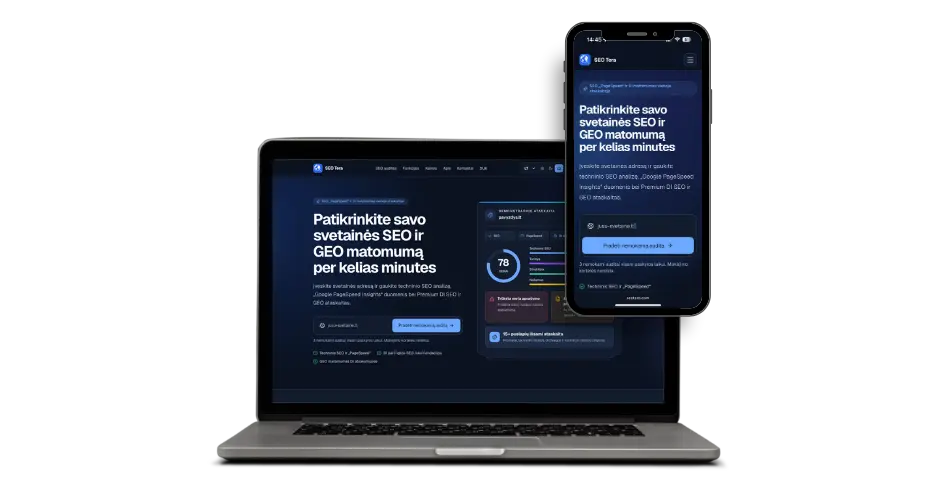
One such tool is SEO Tera. It's designed to quickly perform an SEO audit of a website and spot issues that aren't always visible just by opening the website in a browser.
During the automatic audit, it is possible to evaluate:
- SEO headlines and meta information;
- page structure;
- the use of H1 and other headings;
- technical SEO elements;
- internal links;
- indexing signals;
- other site SEO weaknesses.
Such an audit is particularly useful as the first stage of diagnostics. It can help answer the question: "Where do you even begin?"
However, an automated SEO audit and an in-depth analysis by a specialist are not quite the same thing. A tool can quickly detect technical issues, but human analysis is important for assessing market competition, search intent, keyword potential, content quality, and business priorities.
If you want to start on your own, you can do a website SEO audit with SEO Tera.
Is it enough to click Request indexing in Google Search Console?
No.
This button can be used after publishing a new page or after making important changes. However, this is not a way to force Google to index a poorly prepared page.
If a page remains unindexed, it is better to identify the underlying reason. Check:
- technical settings;
- page quality;
- canonical;
- internal links;
- sitemap;
- content value and possible duplication.
How long do SEO changes take to have an effect?
There is no single deadline. A technical error such as a removed noindex can be noticed quite quickly after a new Google crawl.
Position changes can take significantly longer due to the following factors:
- content;
- competition;
- site structure;
- internal links;
- external SEO;
- authority.
Therefore, a promise to put you "in first place on Google within a week" is a serious red flag. SEO results depend on many factors.
What if the website is on Google, but there are no customers from it?
This introduces a different problem. Being in Google's index is not enough; you also need to know:
- according to which keywords the site is displayed and in which positions;
- how many impressions and clicks it receives;
- which pages generate traffic;
- is the traffic relevant to the business;
- what the visitor does after coming to the website;
- does the website clearly suggest another course of action.
Google Search Console allows you to see real search queries, impressions and clicks. Decisions can then be made not based on the feeling that "Google doesn't seem to be showing me", but based on real data.
When is it worth doing a more detailed SEO audit?
An SEO audit is especially meaningful if:
- the site has been up for a few months, but there is almost no organic traffic;
- important pages are not indexed;
- Google Search Console shows many problems;
- positions disappeared after website redesign;
- the domain or URL structure has been changed;
- the site contains many duplicate pages;
- Google only displays a small portion of services or products;
- competitors are consistently higher in key services;
- you don't know what keywords the site is generating;
- the website is technically old or has not been maintained for a long time.
The goal of an SEO audit should not be to generate a 100-page report with green and red tables. It is more important for me to answer three questions:
Website not on Google? Start with diagnostics
If your website does not appear in Google search, you should not immediately buy backlinks, rewrite all the texts or create a new website. First, you need to determine the cause.
Sometimes the cause is very simple:
- a noindex directive was left enabled;
- an incorrect canonical URL;
- incorrect redirects;
- an indexing problem;
- robots.txt is badly configured.
In other cases, the site is technically fine, but the problem is completely different:
- weak content;
- improperly chosen keywords;
- high competition;
- poor site structure;
- little authority;
- there is no targeted SEO strategy.
Good SEO work doesn't start with random changes. It starts from diagnostics.
If you want to start independently, run a website SEO audit with SEO Tera. If a deeper analysis is needed, I can assess the technical health, indexing, structure, content and SEO potential, and determine what specifically is hindering better visibility on Google.
You can then prioritize the changes most likely to have a meaningful impact instead of trying to fix everything at once.
Frequently asked questions
Why isn't my site on Google at all?
The most common reasons are that the site is new, noindex is enabled, Googlebot is being blocked, the page is returning a technical error, or Google has decided not to index it at this time. The most accurate way to check the status of a specific URL is through Google Search Console URL Inspection.
How to add a website to Google?
Make sure the site is publicly accessible and indexable. Connect to Google Search Console, submit a sitemap, check robots.txt, noindex, canonical and important URLs with URL Inspection. An indexing query does not guarantee an instant result.
How long does it take for a new site to appear in Google?
There is no specific term. Google can discover and index some pages fairly quickly, while others may take days or weeks. Further growth in positions usually takes longer.
What does "Crawled - currently not indexed" mean?
This means that Google has already crawled the page, but has not indexed it at this time. It is worth analyzing the page content, structure, duplication, canonical and overall value of the page.
What does "Discovered - currently not indexed" mean?
Google knows the URL exists, but hasn't crawled it yet. One such URL is not necessarily a problem, but if this condition applies to many important pages over a long period of time, it is worth performing a technical analysis.
Does sitemap guarantee that pages will be in Google?
No. A sitemap helps Google discover a website's URL, but the search engine itself decides which pages to index.
Does a website's speed affect Google rankings?
Website speed and Core Web Vitals are part of the overall user experience, but a high PageSpeed score alone does not guarantee strong rankings. Technical SEO, content, competition, website authority and other signals also need to be evaluated.
Can SEO issues be checked automatically?
Some problems - yes. An automated SEO audit tool like SEO Tera can quickly identify technical and internal SEO weaknesses. Evaluating competition, search intent, content strategy, and business priorities often requires deeper human analysis.
Is it possible to guarantee the first place in Google?
No. SEO depends on competition, content, website technical condition, authority, search intent, and Google's own results system. For a professional SEO service, it is more important to consistently solve problems and improve visibility than to promise a specific position.